Todos
Deadlines, reminders and repeats, with projects and labels. Completed todos keep their history.

Alcove is a calm iPhone dashboard for the todos, events, birthdays and articles your AI agent brings, and the ones you add yourself.
For iPhone with iOS 26 or later.

Add Alcove's address to Claude, ChatGPT or another agent that supports MCP. Sign in with Apple, choose Allow, and you're done.
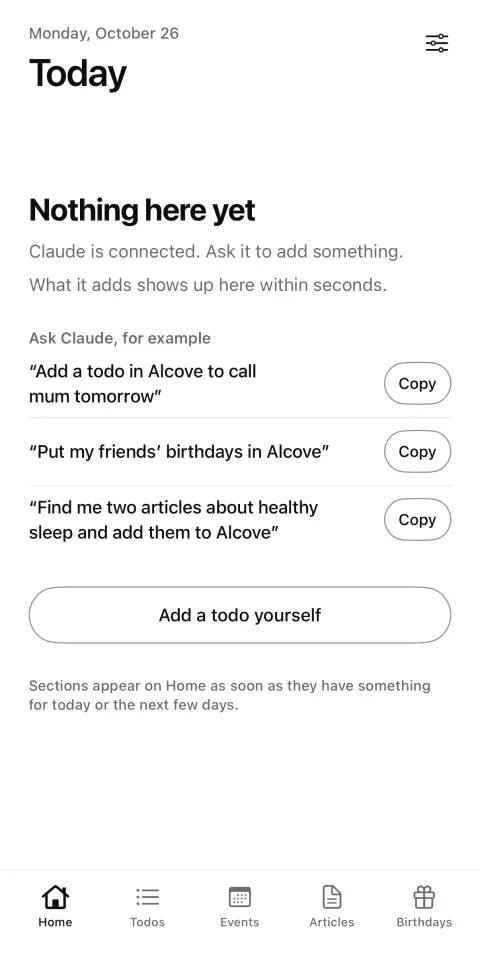
Your agent adds todos, events, birthdays and articles while you talk to it. Alcove holds only what you or your agent put there.
For example
“Add a todo to renew my passport by the end of next month and remind me a week before.”
“Save the jazz concert at the Opera on 14 November at 8 pm to Alcove.”
“Remember that Anna's birthday is on 3 March.”
Everything appears on one quiet screen on your iPhone. Tick off todos, choose the events you're going to, read later. You can add and change everything by hand too.

Deadlines, reminders and repeats, with projects and labels. Completed todos keep their history.
Dates, times, places and links. Mark the ones you're interested in or going to. Your responses stay in Alcove.

With or without the year. An optional reminder on the day, the day before or a week before.

Things to read, written or summarised by your agent and sorted into categories. Share one with a link when you want to.
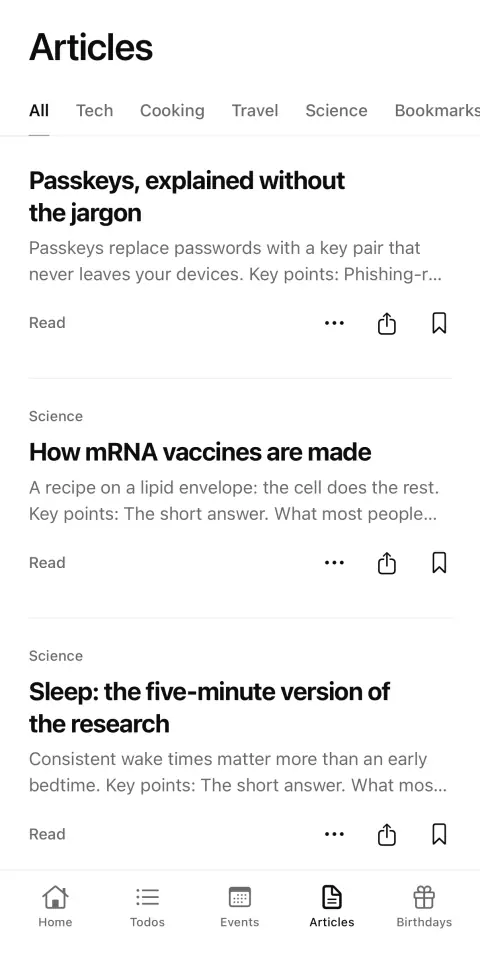
Alcove speaks MCP, the open protocol AI agents use to work with other apps. You connect once with the same address everyone uses; signing in links it to your account.
Alcove has no AI of its own. It doesn't browse, scrape or recommend anything, and there's no feed. Step-by-step setup
What you keep in Alcove is for you and the agents you allow.
One subscription with everything in it. New subscribers try it free for 14 days.
€5
a month
€30
a year, €2.50 a month
Both plans start with a 14-day free trial for new subscribers. You subscribe in the app through the App Store and can cancel any time in your Apple account settings. Prices in other countries are set by the App Store in local currency.